
A cracked screen is one of the most common — and most expensive — phone repairs in Kenya, especially on OLED and AMOLED displays where replacement parts alone can run into tens of thousands of shillings. A screen protector costs a fraction of that and takes minutes to fit. Here's how to pick the right one and put it on without trapping a single bubble.
Glass or Film? The Real Difference
Screen protectors come in two main materials, and the choice matters more than the price tag suggests.
Tempered glass is thicker and rigid. It's designed to absorb the force of a drop and crack itself rather than let that force reach your screen, and it keeps the same smooth glide and clarity as your phone's original glass. The trade-off is that its rigid edges can chip if you catch a hard corner.
Plastic film (PET or TPU) is thinner and flexes with the screen, so it wraps curved edges better and never cracks — but it offers less impact protection and can gradually yellow or peel at the edges with heavy use.
If you're mostly worried about scratches from keys and coins in a pocket, film is enough. If you're worried about a drop onto tile or tarmac, glass is the safer bet.
Clear or Privacy — Which Do You Need
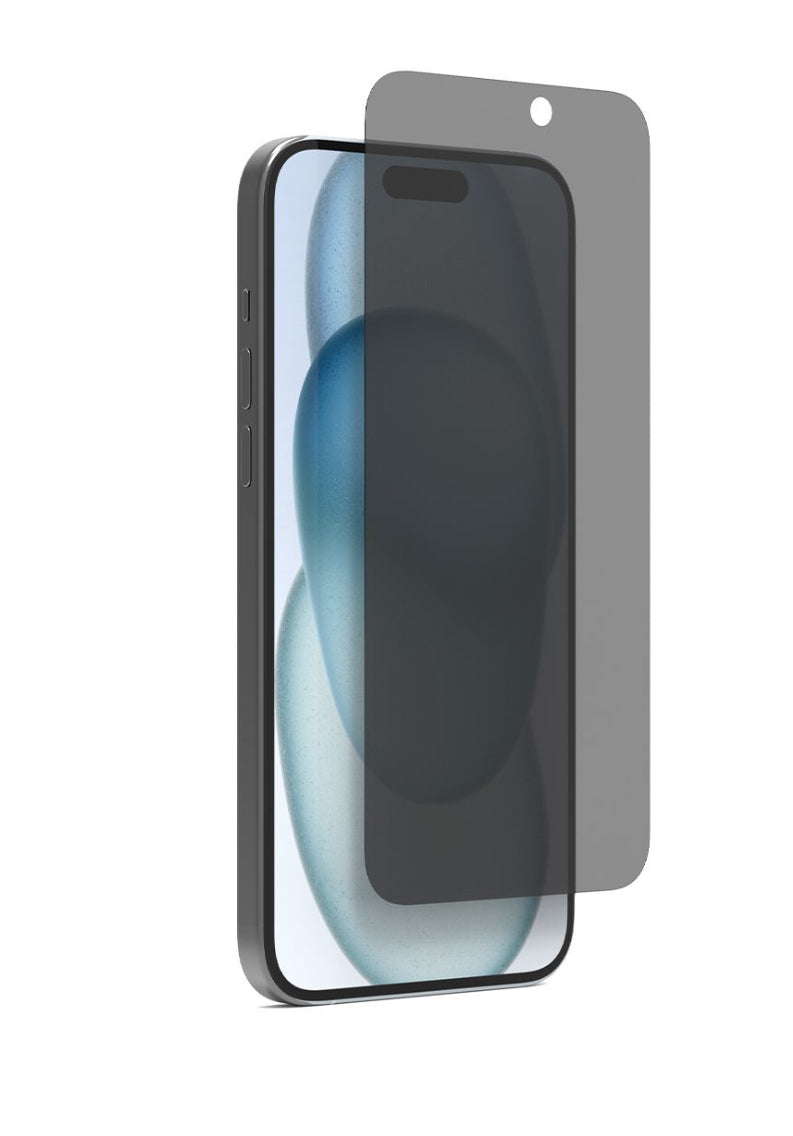
A standard clear protector preserves your screen's full brightness and colour and is the right default for most people. A privacy protector adds a micro-louvre filter that darkens the screen when viewed from an angle, so only someone looking straight at it can read what's on screen. It's genuinely useful if you read messages, banking apps, or M-Pesa statements on a matatu, in a banking hall queue, or in an open-plan office — at the cost of a slightly dimmer view and a small colour shift when you tilt the phone.
How to Apply a Screen Protector Without Bubbles
- Clean the screen thoroughly. Wipe with a microfiber cloth, then use an alcohol wipe if one is included, and let it dry completely — any residue left behind will trap air under the protector.
- Remove dust with the sticker provided. Most protectors ship with a small dust-removal sticker. Dab it on the screen a few times; even one speck of dust will show up as a permanent bump.
- Align before you peel. Hold the protector over the screen with its backing still on and line it up against the camera cutout and edges. Use the alignment frame or case if one is included — this is the step most people rush and regret.
- Lower it from one edge. Once aligned, let one edge touch down first and slowly lower the rest, letting it settle on its own rather than dropping it flat.
- Push bubbles out from the centre. Use the squeegee card (or a soft cloth wrapped around a card) to push air bubbles outward toward the edges. Small bubbles near the edge usually disappear within a day as the adhesive fully settles.
If you do trap a bubble you can't push out, lift that corner slowly and reset it — most protectors tolerate two or three attempts before the adhesive gets too dusty to reuse.
Why It's Worth It on Kenya's Roads
Between dusty matatu commutes, phones riding in the same pocket as keys and coins, and the odd drop onto a concrete step, screens take a beating. A genuine OLED or AMOLED screen replacement in Kenya can cost anywhere from several thousand to tens of thousands of shillings depending on the model — a protector at a few hundred shillings is one of the cheapest insurance policies you can buy for your phone. Pair it with a case if you're prone to drops; the two protect different parts of the phone and work best together.


FAQ
Do I need both a screen protector and a case?
Yes, ideally — a protector guards the screen against scratches and cracks the glass itself would otherwise take, while a case absorbs shock to the body and corners. They protect different parts of the phone.
Will a screen protector affect Face ID?
No. Face ID uses an infrared sensor system, not touch, so a quality glass or film protector over the screen doesn't interfere with it.
How often should I replace a screen protector?
Replace it once you see visible scratches, cracks, or peeling at the edges — at that point it's no longer doing its job and can even make the screen harder to read.
trewrld | Queensway House, Kaunda Street, 2nd Floor Room 13, Nairobi | 0722 700 018 | @trewrldke
M-Pesa, Visa/Mastercard & Bank Transfer accepted | Same-day delivery in Nairobi, 1 to 4 days countrywide, and delivery across East Africa (Uganda, Tanzania, Rwanda, Burundi, South Sudan)